
Azeron Cyborg II Review: The Keyboard Replacement That Makes WASD Feel Old
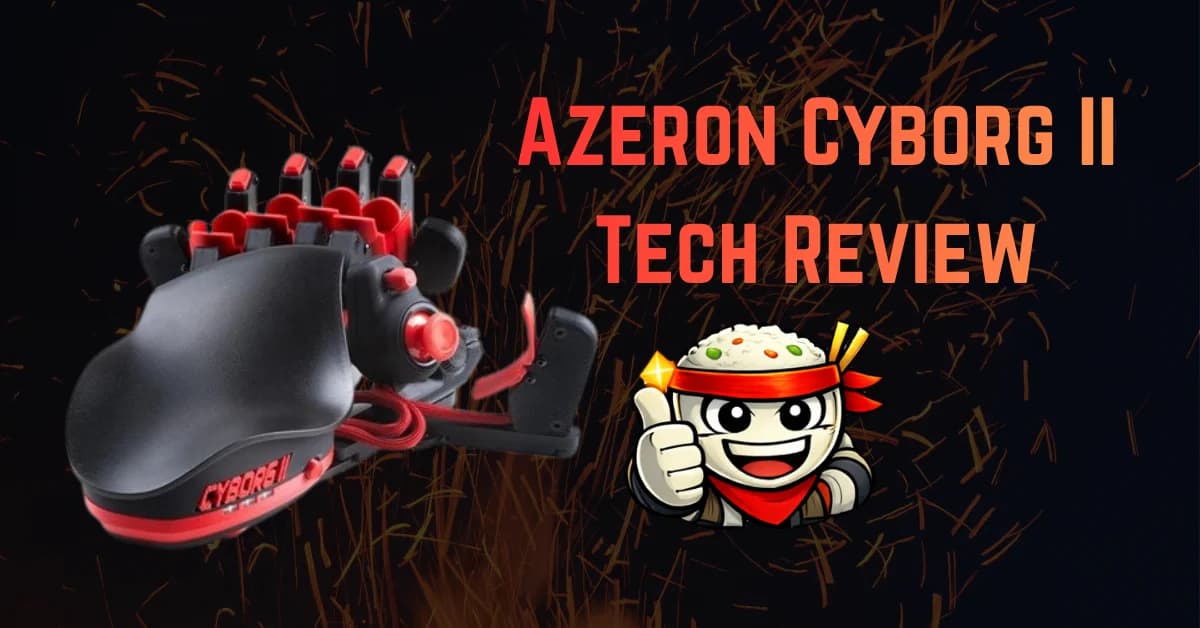
The Azeron Cyborg II looks strange because it is solving a problem most gaming keyboards refuse to acknowledge: your left hand is doing too much work on a flat rectangle. WASD movement, ability keys, inventory, push-to-talk, crouch, prone, sprint, map, reload, weapon swap, interaction, and modifier layers all fight for the same four fingers.
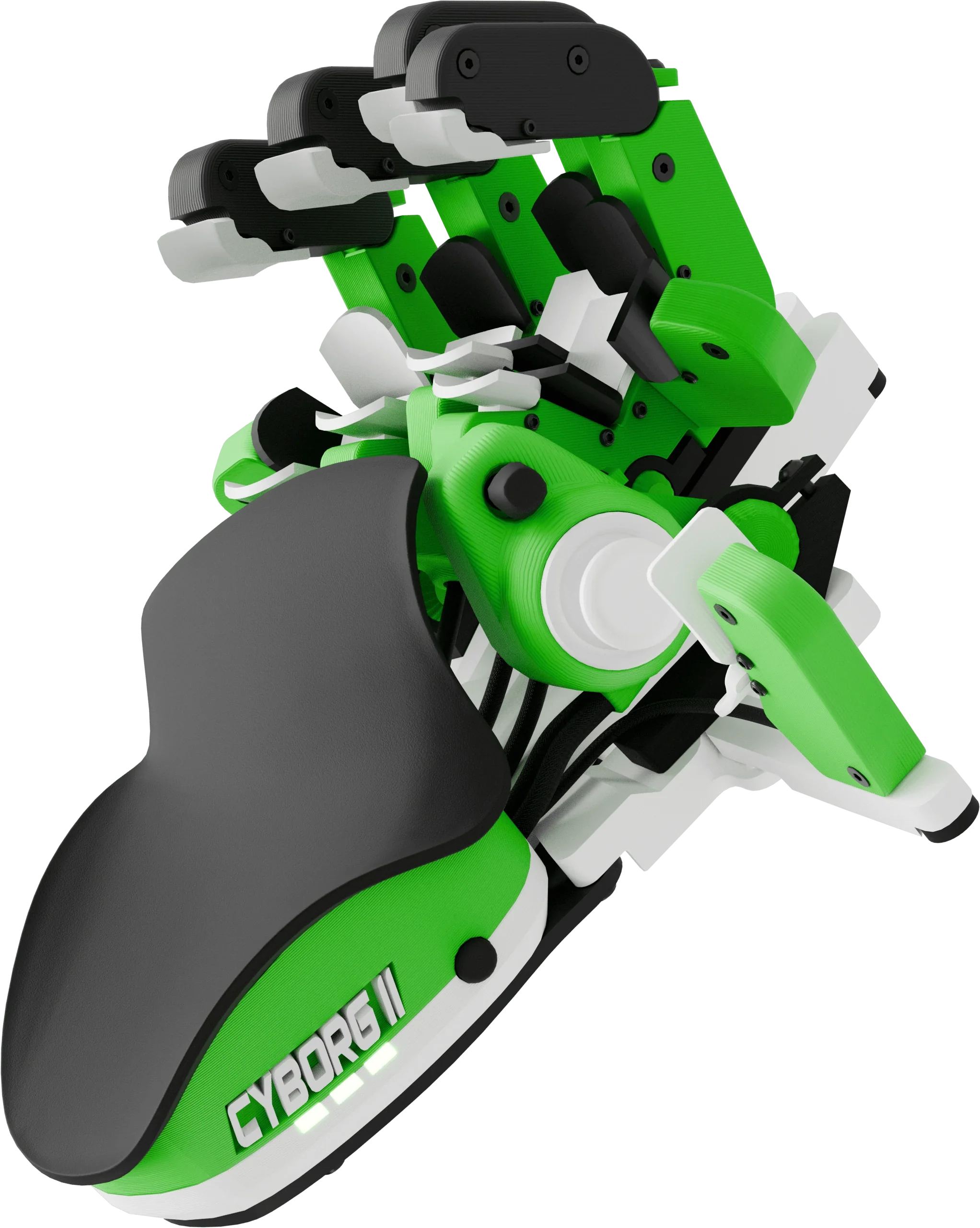
The Cyborg II attacks that problem by rebuilding the left side of your setup around your hand instead of forcing your hand to adapt to a keyboard. It gives you a thumbstick for movement, towers of finger-actuated buttons, knuckle keys, onboard profiles, and enough adjustability to make the thing feel custom after you spend time with it.
That last part matters. This is not a plug-it-in-and-win peripheral. The Azeron Cyborg II has a steep learning curve. The first few sessions can feel like playing with someone else's hand. But once the layout clicks, it becomes one of the most powerful input devices you can put next to a mouse.
What the Azeron Cyborg II Actually Is
The Cyborg II is best understood as a left-hand command deck for PC gaming. It replaces the keyboard side of your setup, not the precision aiming role of your mouse. If you are a controller player moving to PC, it also gives you a familiar thumbstick movement layer while keeping mouse aim.
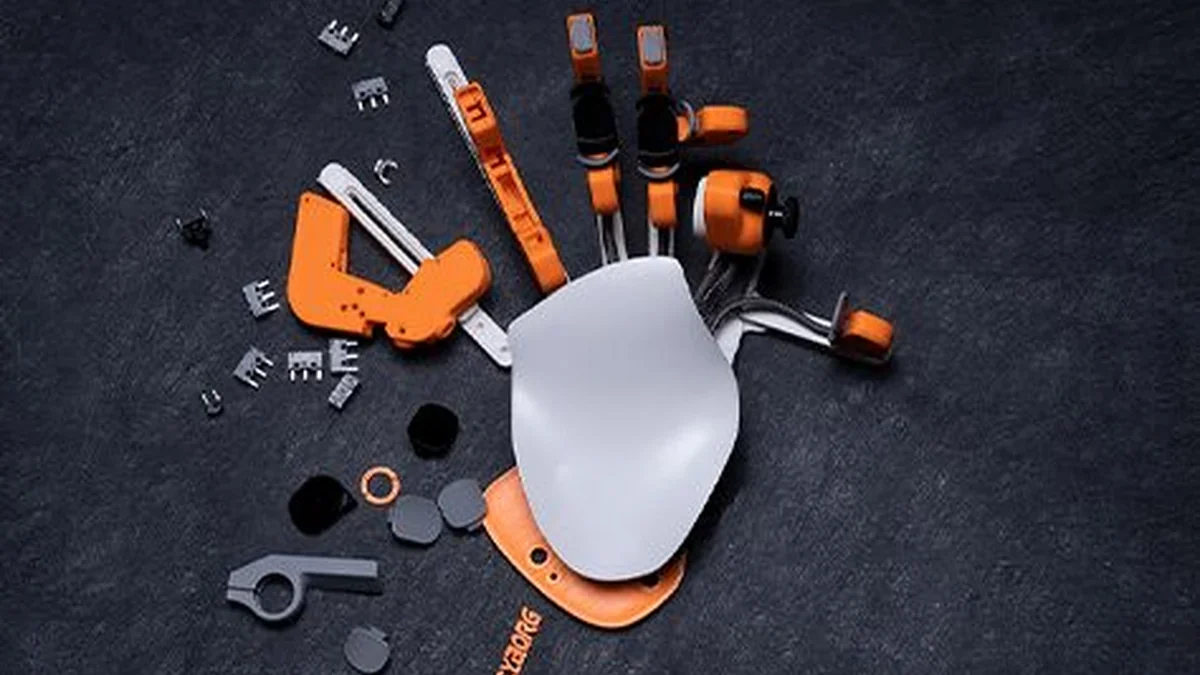
Azeron's official product page lists the core Cyborg II package clearly: a Hall effect thumbstick for WASD or 360-degree movement, 30 mappable inputs, quick-fire Omron switches, tall towers with knuckle keys, six slots to swap controls, full physical adjustability, custom nameplate options, and mirrored versions for left-handed or right-handed setups.
That combination is why the device feels different from a macro pad or half keyboard. A macro pad gives you more buttons. A half keyboard gives you a smaller keyboard. The Cyborg II changes the shape of the interaction entirely.
Instead of moving your fingers around a flat grid, you rest your hand in one place and pull, tap, flick, or press controls that sit around each finger. The goal is less travel, fewer awkward reaches, and more actions available without lifting your hand.
For games with overloaded keybinds, that is the entire pitch.
The Big Win: More Power Under One Hand
The strongest argument for the Cyborg II is not ergonomics, even though ergonomics are a major part of the design. The strongest argument is input density.
On a normal keyboard, your left hand has practical access to WASD, Shift, Ctrl, Space, Tab, Caps Lock, Q, E, R, F, G, Z, X, C, V, 1, 2, 3, 4, and maybe 5 if your hands are comfortable reaching. That sounds like a lot until you remember that movement consumes three fingers the entire time.
The Cyborg II moves movement to the thumbstick. That frees your index, middle, ring, and pinky fingers to handle abilities, weapon slots, menus, utility, macros, and game-specific functions without sacrificing movement control.
That is the part that makes it feel unfair after the adjustment period. In an MMO, you can put core rotation abilities on finger pulls, defensive cooldowns on knuckle keys, push-to-talk on a thumb input, mounts on a secondary layer, and still have room for targeting or utility. In a shooter, you can keep movement analog or WASD-style on the thumbstick while assigning crouch, sprint, reload, weapon swap, ping, melee, grenade, interact, map, and inventory around the fingers.
You are not just adding buttons. You are moving the whole control problem into a more efficient shape.
The result is that your mouse hand gets to stay focused on aim, camera control, and firing. Your left hand becomes a command surface.
Why Controller Players Should Care
The hardest part of switching from controller to mouse and keyboard is not always the mouse. A lot of players adapt to mouse aim quickly because the benefits are obvious. The problem is the keyboard. WASD can feel like going backward if you have spent years using analog movement.
The Cyborg II gives controller players a bridge.
You can keep thumb-based movement and gain the precision of mouse aim. You can also bind the thumbstick as WASD for games that do not support analog movement, which keeps compatibility broad. For games that support real analog input, the thumbstick can preserve 360-degree movement in a way keyboard movement cannot.
That makes the Cyborg II especially interesting for third-person shooters, RPGs, MMOs, survival games, extraction shooters, and games where movement control and camera control both matter. It is not trying to make a controller obsolete for couch play. It is trying to make desktop PC control feel less like typing while fighting.
If you are already elite on keyboard, the argument is different. You are not buying this because WASD is impossible. You are buying it because a normal keyboard wastes motion and finger availability. The Cyborg II can make your left hand faster, but it will force you to give up muscle memory before it gives you that speed back.
The Learning Curve Is Real
The Cyborg II's biggest weakness is also the reason it works: it is not laid out like anything else.
The first hour is mostly adjustment. You will spend time setting tower height, finger angle, palm rest position, thumbstick reach, and key spacing. The device is physically adjustable, and you should treat that as required setup rather than a bonus feature. If the Cyborg II feels wrong out of the box, that does not mean the device is wrong. It means you have not fitted it yet.
The second phase is keybind translation. This is where most people underestimate the work. You cannot simply copy your keyboard layout button-for-button and expect it to feel natural. The Cyborg II rewards priority mapping. Put the actions you hit constantly on the easiest finger movements. Put emergency actions on controls you will not hit accidentally. Put menu and map functions on less urgent positions.
After that comes the ugly part: relearning games you already know.
For the first few sessions, you will hit the wrong inputs. You will think about actions that used to be automatic. You will fumble simple things. That is normal. The mistake is judging the device during that stage.
Give it a week of focused use before you make a decision. Give it two weeks before you rebuild your final layout. The first layout is never the best layout. It is just the layout that teaches you what your hand actually wants.
Setup Is the Product
Azeron has setup guides and manuals, and you should use them. This is not a generic keypad where software setup is a minor step. The setup process is part of the value.
The Cyborg II supports onboard profiles, which matters because different games need different layouts. Your shooter profile should not look like your MMO profile. Your productivity profile should not look like your survival game profile. Six onboard slots means you can carry core layouts on the device itself, then manage the deeper library through the software.
The best approach is to build one profile around a specific game, not around a theoretical perfect layout. Pick the game you play most. Map only what you need. Play with it for a few sessions. Move the actions that feel awkward. Then start building the second profile once the first one works.
Do not overbuild on day one. A Cyborg II profile with every possible function mapped is worse than a clean profile with your core actions placed correctly.
What It Does Better Than a Keyboard
The Cyborg II beats a keyboard in three areas: reach, hand position, and movement separation.
Reach: The buttons come to your fingers instead of your fingers traveling across a board. That matters for games with high input counts. Less movement means less time between intention and action.
Hand position: Your hand rests in a shaped position instead of hovering over a grid. Long sessions feel less like maintaining a typing posture and more like using a control surface.
Movement separation: Moving with the thumbstick frees the fingers that normally stay anchored to WASD. This is the biggest difference in practical play. Once movement leaves your index, middle, and ring fingers, your control scheme opens up.
That said, a keyboard still wins in familiarity, typing, universal compatibility, and zero-learning-curve convenience. A keyboard is instant. The Cyborg II is earned.
If you only play one simple shooter and use six keys, you may not need this. If you play games where your left hand is constantly reaching, shifting, and layer-swapping, the Cyborg II starts making a lot more sense.
What It Does Better Than a Controller
A controller is comfortable because it was designed around the hand. The problem is that it compresses too many actions into too few controls. Radial wheels, long presses, double taps, modifier layers, and claw grip habits all exist because controllers run out of inputs.
The Cyborg II keeps the hand-shaped idea and adds PC-grade input density.
You get thumb movement like a controller, but you also get far more dedicated actions under your fingers. You can pair it with a mouse, which means aim and camera control are not limited by an analog stick. For PC players who like controller movement but hate controller aim, that combination is the point.
The controller still wins for couch gaming, driving games, platformers, and anything built primarily around twin-stick input. The Cyborg II is not trying to replace that experience. It is a desk setup device for games where mouse aim and high action count matter.
The Cons You Should Not Ignore
The learning curve is steep. This is the big one. If you are not willing to spend time fitting the hardware and rebuilding your binds, do not buy it. The Cyborg II is powerful because it is different, and that difference has a cost.
It is not ideal for every game. Simple games can make it feel overbuilt. Platformers, retro games, racing games, and twin-stick games may still feel better on a standard controller.
The setup can become a hobby by itself. That is fun for some people and exhausting for others. If you love dialing in peripherals, this is a dream. If you want one default layout forever, it may annoy you.
You need desk commitment. This is not as universally convenient as grabbing a controller or sliding onto any keyboard. It belongs in a tuned setup.
The shape is polarizing. Some people will see it and immediately understand the purpose. Others will see a 3D-printed hand machine and assume it is too weird to take seriously. The second group is wrong, but the first impression is still real.
Who Should Buy It
Buy the Azeron Cyborg II if your current keyboard binds feel cramped, if you play MMOs or ability-heavy games, if you want controller-style movement with mouse aim, or if you are willing to rebuild your control scheme around your hand instead of a keyboard grid.
This is also a strong fit for players with hand strain from long keyboard sessions. The adjustable shape and reduced finger travel can help, although comfort depends heavily on proper setup. Do not assume the default position is the ergonomic answer. Adjust it.
Skip it if you want instant familiarity, if you mostly type between actions, if you play games that barely use the keyboard, or if you do not want to spend time experimenting with profiles.
The Cyborg II is not a casual peripheral. It is a commitment device.
The Verdict
The Azeron Cyborg II is one of the rare gaming peripherals that actually changes how you interact with games. It is not just a smaller keyboard. It is not just a controller with extra buttons. It is a different control philosophy: thumb movement, finger commands, and a fixed hand position built around speed and reach.
The learning curve is the price of admission. You will be worse before you are better. You will rebuild your layout more than once. You will have a few sessions where your brain knows exactly what to do and your fingers refuse to cooperate.
Then it starts to click.
When it does, the payoff is obvious. More actions are available. Movement feels less cramped. Your mouse hand stays focused. Your left hand stops hunting for keys and starts operating a purpose-built control surface.
For the right player, the Azeron Cyborg II is an incredible replacement for the keyboard side of PC gaming and a serious alternative to controller habits. It puts more power at your fingertips, but it makes you earn it.
- ApexInterfectum Co-Founder, PUG Empire
Written by
ApexInterfectum
Co-Founder, PUG Empire | Army Veteran | Full Stack Developer
ApexInterfectum is an Army veteran and co-founder of PUG Empire, a competitive gaming community built on coordinated team play and continuous improvement. He brings a full-stack development background to community tooling and content infrastructure, and serves as technical subject matter expert across the Dirty Rice platform. His writing covers the systems and strategies behind sustainable content creation, competitive growth, and modern streaming workflows.
Community Rating
Rate this article:
Intel & Reactions - (1)
Sign in with Discord to join the conversation.

Definitely have me considering it...here is my catch if this has force feedback. Right now the issue with m&kyb is no force feedback for most people unless they are willing to spend a good chunk of change. I want to feel feedback it helps for better immersion in my opinion. If this has it I'm sold if not I'll wait for version 3.