
Thrustmaster HOTAS Warthog MKII Review: A Serious Flight Stick With a Serious Price
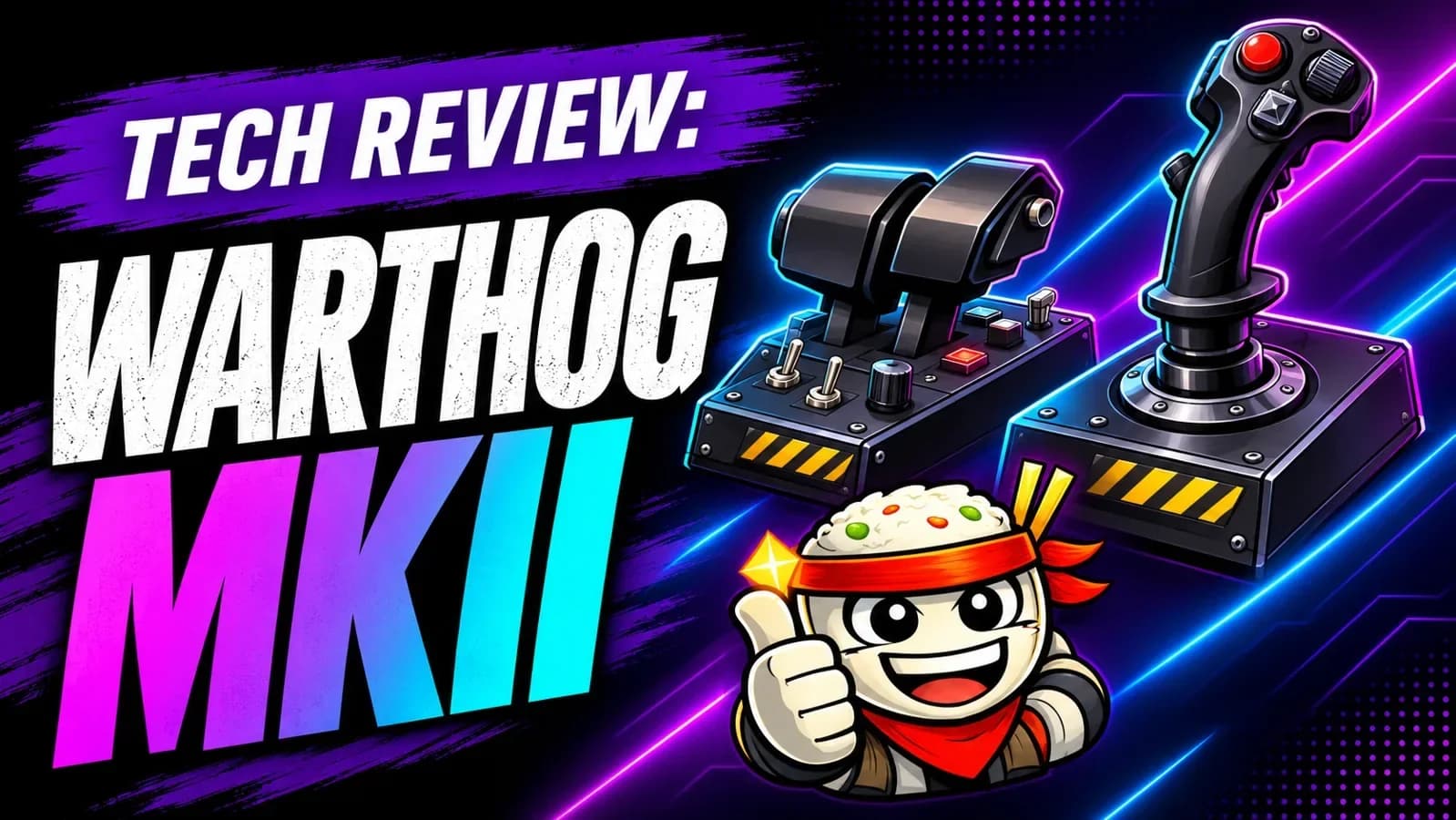
The Thrustmaster HOTAS Warthog MKII makes the strongest case for itself when you want your desk to feel less like a desk and more like a dedicated combat simulator. Its full-size metal grip, dual throttle, and bank of physical controls are built around a specific kind of player: someone who wants to reach for a switch instead of remembering another keyboard shortcut. At $599.99, that focus is also its biggest limitation.
The verdict: Put the MKII on your shortlist if you primarily fly military sims on PC, have room for two substantial control units, and value an aircraft-inspired layout. If you are new to flight simulation, need console support, or want rudder control built into a twisting stick, your money may go further elsewhere.
The cover is an illustration. This is a research-based review, not a hands-on test. We evaluated Thrustmaster's specifications and product documentation alongside independent coverage, including a hands-on Windows Central review. We have not personally tested the MKII's feel, durability, or compatibility with individual game updates. Pricing reflects Thrustmaster's US store on November 2, 2026, and can change.
What you get for $600
HOTAS stands for hands on throttle and stick. Instead of giving you one general-purpose controller, the setup puts flight and mission controls under both hands. The MKII package includes the redesigned Warthog MKII base, Viper grip, desktop plate, and Warthog dual throttle. Thrustmaster also lists two Allen keys, a detachable USB-C cable, and documentation in the box.
The controls are inspired by two related but distinct pieces of military hardware. The grip is a full-size Viper-style stick, while the split throttle and control panel draw from the A-10C Warthog. Thrustmaster describes the system as officially licensed by the US Air Force. It is a replica-inspired PC controller, not an actual aircraft component.
| Feature | What it means for you |
|---|---|
| US list price | $599.99 at the time of research |
| Platform | PC; no console compatibility is listed |
| Stick | Full-size Viper-style metal grip, two-stage trigger, and an eight-way point-of-view hat |
| Throttle | Two levers that can be linked or operated separately |
| Base | Redesigned mechanism with a ball-bearing gimbal and magnetic sensing |
| Rudder | No twist axis on the included grip; plan a separate solution |
| Software | Optional T.A.R.G.E.T. programming suite for PC |
Thrustmaster lists the assembly at 6,560 grams, or roughly 14.5 pounds. That is the manufacturer's listed figure; the practical takeaway is simple: this is a substantial piece of desk equipment, and you should measure your space before ordering. Check the product page for current dimensions and box contents because retailer listings can vary.
The biggest change is under the grip
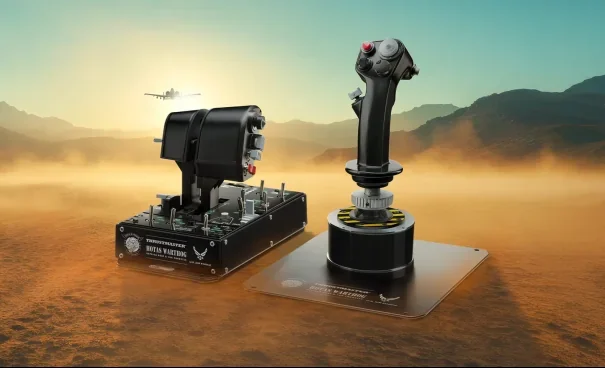
Image: Thrustmaster press materials, via Saving Content.
The original Warthog became a familiar name in flight simulation, but the MKII is not simply the same hardware with a new label. Thrustmaster says the base has been redesigned around a ball-bearing gimbal, with revised electronics and a six-pin connector. The company also specifies 16-bit magnetic sensing for the stick.
The gimbal is the mechanism that lets the stick move around its center. A good mechanism matters because your hand spends a lot of time making small corrections near that position, whether you are lining up an approach or tracking a target. The sensor reports the position; the mechanical design determines much of how moving the stick feels. Those are related, but a higher resolution figure alone does not prove a controller feels better.
Thrustmaster says its redesign improves smoothness and durability. Windows Central's reviewer found the MKII smooth and sturdy in hands-on use, which is encouraging, but a short review cannot establish years of reliability. We would not treat a manufacturer's promise of no drift or long-term durability as a guarantee of a trouble-free device.
The revised base is most compelling if you are buying a complete setup today. If you already own a working Warthog or a premium base, evaluate what is actually bothering you before paying for another full bundle. Better motion around center may matter more than a new throttle panel, and a change in hardware will not fix an uncomfortable mounting position.
The throttle is where the cockpit idea clicks
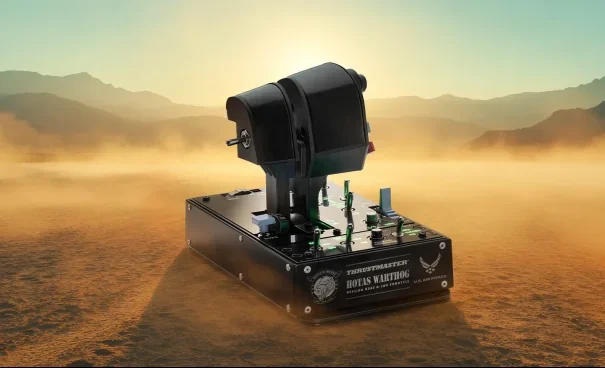
Image: Thrustmaster press materials, via Saving Content.
The A-10C-style throttle is more than a second lever beside the stick. It gives you two throttle arms, a way to lock them together, and a control panel with physical inputs for functions you can assign in your simulator. Independent engine control gives twin-engine aircraft an extra layer of interaction; linking the levers keeps routine throttle changes straightforward.
Thrustmaster lists 17 action buttons on the throttle assembly, along with a mouse hat or slew control and an eight-way point-of-view hat. On the grip, it lists 19 action buttons, including the two-stage trigger. Counts can be expressed differently when manufacturers include hats, directional positions, and switches, so judge the layout by how you intend to map it rather than adding every advertised input into one headline number.
Physical controls are useful when they make your common actions easier to locate without looking down. Start with communications, countermeasures, targeting, view controls, and a modifier you can reach comfortably. Keep lower-priority systems on the panel. You do not need to reproduce a real cockpit exactly to make the hardware useful.
The tradeoff is that a realistic layout can be less flexible than a controller designed around a wider range of aircraft. A switch that makes intuitive sense in an A-10-style setup may feel less natural in a civilian airliner or a spacecraft. Rebinding helps, but it does not change where the control physically sits.
Rudder control is the purchase you should plan before checkout
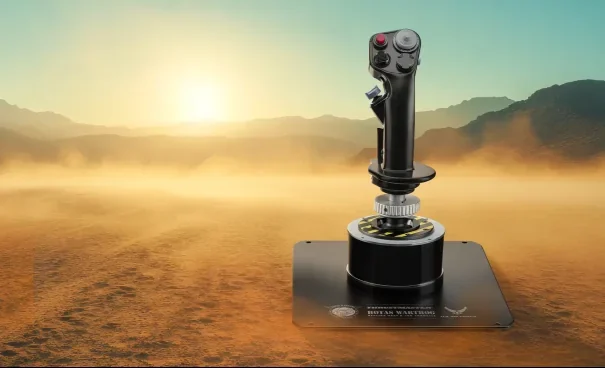
Image: Thrustmaster press materials, via Saving Content.
The included grip does not twist for yaw. That is not a defect in a replica-focused design, but it changes the real cost and complexity of your setup if you need precise rudder control.
Dedicated rudder pedals offer a separate analog axis and leave both hands on the primary controls. They also need floor space, add cost, and may need a way to keep them from sliding. Depending on the game, you may be able to assign yaw to another analog control or use assisted controls instead. A pair of digital buttons can be a workable compromise for occasional use, but it is not the same as a dedicated analog rudder.
Windows Central specifically notes the missing twist axis and suggests pedals or alternative bindings as ways to handle it. Before you buy, open the control settings for the game you actually play and confirm how it handles multiple devices, axis assignments, and any assist options. Then price the complete setup you want, not just the sticker price of the HOTAS.
Setup is part of the experience
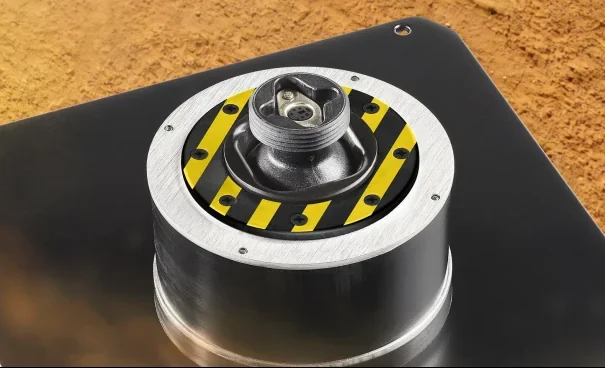
Image: Thrustmaster press materials, via Saving Content.
Expect to spend time on mounting, controls, and game-specific bindings. The bundle is aimed at enthusiasts, and the number of switches is an advantage only once you can use them reliably.
- Choose a stable position. Put the stick and throttle where your shoulders can relax and your wrists stay comfortable. If your desktop is too high, research compatible mounts rather than reaching up for long sessions.
- Check the connections and support page. Follow Thrustmaster's current support documentation for drivers, firmware, and setup. Confirm each unit is recognized before launching your simulator.
- Map the essentials first. Assign pitch, roll, throttle, yaw, trigger, brakes, and a view control. Test each axis and reverse any that move the wrong way.
- Add functions in groups. Map navigation, weapons, communications, and aircraft systems after the basics work. Take notes or export a profile if the game supports it.
- Tune only what you can feel. Adjust dead zones and curves in small steps. Excessive dead zone can hide small movements; aggressive curves can make center control feel unfamiliar.
- Fly a repeatable test. Use the same aircraft and a short takeoff, circuit, and landing while you refine bindings. Save the profile before experimenting further.
Thrustmaster offers its T.A.R.G.E.T. software for programming and managing compatible devices. It can be useful for advanced profiles, but software is not automatically the best first stop. If your game recognizes both devices and its own controls menu does what you need, a straightforward in-game profile can be easier to maintain.
Avoid assuming that a profile made for the original Warthog will work perfectly on the MKII in every title. Check the game's current device support, test every axis, and back up any profile before changing it.
Where the MKII fits
For combat simulation, the MKII's strongest argument is the combination of a substantial stick, dual throttle, and numerous physical controls. If your favorite aircraft has a deep set of systems and you enjoy building a cockpit-style workflow, the hardware has a clear purpose.
For civilian flight simulation, it can still provide a stick and throttle, but the military layout is a preference rather than an automatic advantage. If you mostly fly airliners or general aviation, compare the ergonomics and controls of a yoke or a simpler civilian-oriented setup before committing.
For space games, the number of assignable controls can be attractive, but check how your game handles lateral and vertical translation, multiple devices, and yaw. Some players may prefer a dual-stick arrangement for six-axis movement. The Warthog's split throttle is useful only if its physical layout matches the way you want to fly.
For casual play, this is a large financial and physical commitment. If you are unsure whether the hobby will stick, a less expensive controller can teach you what you value before you buy a dedicated setup.
Should original Warthog owners upgrade?
Start with the problem you want solved. If your current base works well and you are satisfied with its motion, paying for an entire new bundle may deliver less value than investing in a mount, pedals, or a different peripheral. If center movement or compatibility is your main frustration, investigate the MKII base and other compatible options, and compare their actual costs.
Do not assume every grip, extension, or third-party mount is interchangeable just because it looks similar. Thrustmaster describes broad compatibility across its grip ecosystem, but specific accessories can have firmware, connector, or mechanical requirements. Verify the exact combination against current manufacturer documentation before ordering.
The independent Windows Central reviewer did not see an obvious reason for every existing original or AVA Edition owner to replace a working setup. That is a useful counterweight to the launch messaging: an upgrade should solve a problem you actually have.
Strengths and compromises
The case for it: You get a cohesive, aircraft-inspired layout with a redesigned base, a metal grip, split throttles, and enough controls to put many common actions within reach. The package is especially appealing if the physical process of operating a cockpit is part of why you play.
The case against it: The price is substantial, the included stick has no twist rudder, the setup demands space, and its PC-only positioning excludes console players. Its military design is less universal than the word HOTAS might suggest. Long-term durability and the value of the new mechanism still deserve independent evidence beyond launch claims.
Neither side of that tradeoff can be settled by a button count. The right question is whether this specific layout makes your favorite simulator easier and more enjoyable to operate.
Frequently asked questions
Is the Warthog MKII compatible with Xbox or PlayStation?
Thrustmaster lists the MKII for PC. Do not assume it supports Xbox or PlayStation because another Thrustmaster product does. Check the exact product's current compatibility before purchasing.
Does the Warthog MKII include rudder pedals?
No rudder pedals appear in Thrustmaster's listed box contents. The included grip does not have a twist axis, so plan for pedals, another compatible analog input, or game-specific alternatives if you need yaw control.
Is the MKII the same as the original Warthog?
No. The MKII retains the recognizable military-style grip and throttle concept, but Thrustmaster says it has a redesigned ball-bearing stick base and updated electronics. Check the exact model name when comparing prices or accessories.
Can you use it without T.A.R.G.E.T.?
That depends on the game and the functions you need. Many PC simulators allow direct control mapping, while T.A.R.G.E.T. provides additional programming options. Confirm that your game recognizes the separate devices and supports the bindings you want.
The buying decision
Buy the Warthog MKII when you know you want a dedicated military-style PC setup and have budgeted for the rest of your cockpit, especially a rudder solution. Its strengths are a deliberate control layout and a revised stick base, not universal convenience.
Before ordering, measure your desk, check your game's input support, and compare the total cost with the controls you already own. If those checks line up with how you play, the MKII makes a focused case for upgrading your flight deck.
Written by
ApexInterfectum
Co-Founder, PUG Empire | Army Veteran | Full Stack Developer
ApexInterfectum is an Army veteran and co-founder of PUG Empire, a competitive gaming community built on coordinated team play and continuous improvement. He brings a full-stack development background to community tooling and content infrastructure, and serves as technical subject matter expert across the Dirty Rice platform. His writing covers the systems and strategies behind sustainable content creation, competitive growth, and modern streaming workflows.
Community Rating
Rate this article:
Intel & Reactions - (1)
Sign in with Discord to join the conversation.

Simulation is expensive but so worth the price point in my opinion. As far as hotas goes this is one of the best on the markets for its price point. Are there better out there sure but when you get into something like that it becomes more and more niche and specific to what you want your flight sim to do.