
Steam Deck OLED Review in 2026: Is Valve's Handheld Still Worth It?

The best thing about a handheld PC is not that it makes every game portable. It is that it lets your existing games follow you to the couch, a hotel room, or the corner of the house where someone else has claimed the TV. The Steam Deck OLED makes that idea appealing with a larger OLED display, a generous control layout, and access to Steam's enormous library. The harder question in 2026 is whether those strengths justify a price that has climbed well beyond the launch-era reviews you may still find in search results.
The verdict: The Steam Deck OLED is a strong fit if you value a comfortable handheld interface, a great screen, and the flexibility of a PC library enough to check compatibility before buying. The 512GB model is the more sensible starting point for most people. At current US prices, though, take an honest look at the games you actually play and the alternatives your budget can buy before treating this as an automatic recommendation.
This is a research-based review, not a hands-on test. We examined Valve's OLED specifications, current store listings, and independent hands-on coverage. We have not personally tested this device, its durability, or individual games. The cover is an illustration; the product images below come from Valve's Steam Deck press kit, which provides images for editorial coverage. Prices are Valve's US store prices observed November 23, 2026, and availability and pricing can change.
First, the price has changed
Valve's US Steam Deck store lists the OLED at $789 for 512GB and $949 for 1TB at the time of this article. That is a $160 difference before taxes and any accessories. Valve announced a price increase in May 2026, so a review quoting the original $549 or $649 launch prices is useful historical context, not a current buying guide.
That distinction matters. A handheld can be appealing on its own merits and still be a difficult purchase at a higher price. Compare the cost against the devices currently available to you, the games you already own, and whether you will use a portable PC often enough to justify another screen. Check regional listings and stock directly: US pricing does not necessarily describe the rest of the world.
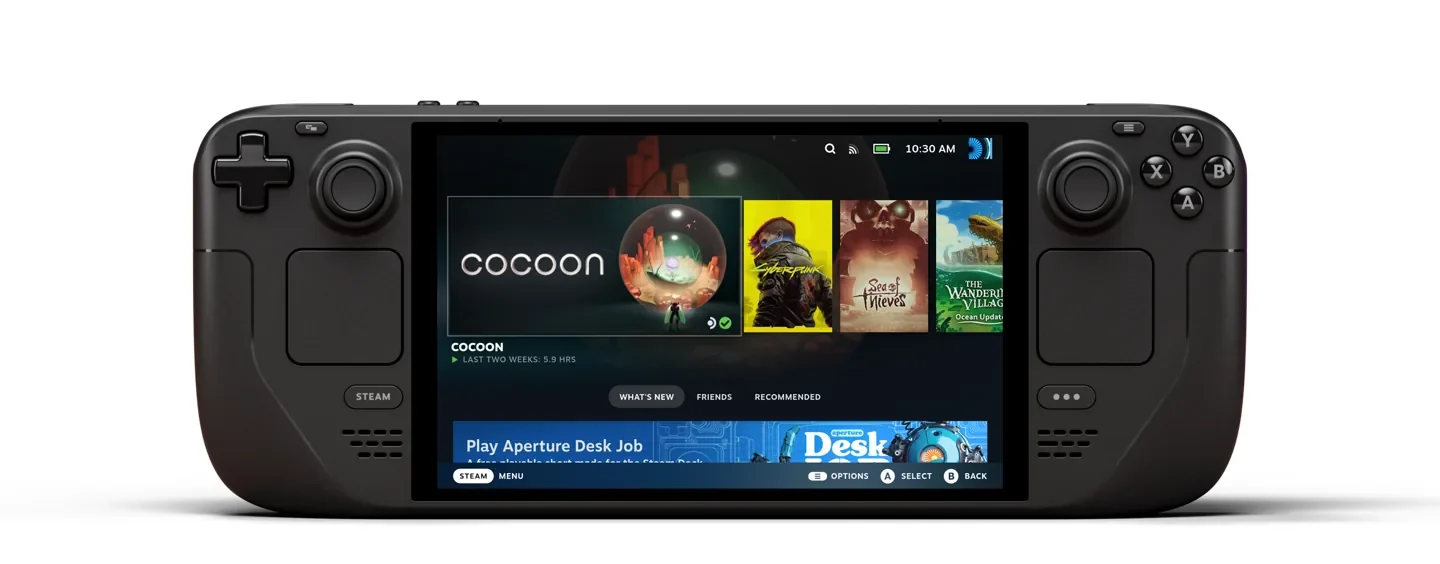
Valve press-kit render: front view of the Steam Deck OLED.
The hardware at a glance
| Feature | What Valve lists | Why it matters |
|---|---|---|
| Display | 7.4-inch, 1280 × 800 OLED, up to 90Hz | A bright OLED panel with room for smoother motion in supported games |
| Processor | Custom AMD 6nm APU, Zen 2 CPU and RDNA 2 graphics | PC games run locally, with settings adjusted to the handheld's limits |
| Memory | 16GB LPDDR5 | Shared system memory for the operating system and games |
| Storage | 512GB or 1TB NVMe SSD, plus microSD slot | More space for installed games, with expandable card storage |
| Battery | 50Wh; Valve estimates 3 to 12 hours | Runtime varies substantially by game, settings, and usage |
| Connectivity | Wi-Fi 6E, Bluetooth, USB-C | Wireless connections and a single port for charging or accessories |
| Weight | Approximately 640g | A substantial handheld to consider for longer sessions |
These are specifications, not a promise that a demanding new release will run at 90 frames per second. The screen's refresh capability and the frame rate a particular game can sustain are separate things. Likewise, the processor makes the Deck a PC, but it does not make its portable power budget equivalent to a desktop gaming rig.
The OLED screen is the headline
The 7.4-inch panel is the most obvious reason to consider this version. Valve specifies HDR support, a refresh rate up to 90Hz, up to 600 nits in SDR, and up to 1,000 nits peak brightness for HDR. Those figures describe the panel's capabilities under specified conditions; they are not a guarantee that the entire screen will reach peak HDR brightness all the time.
OLED's ability to show deep blacks can be especially attractive in darker games, while the 1280 × 800 resolution fits the handheld's performance envelope better than simply chasing a larger pixel count. The display uses a 16:10 aspect ratio, so the appearance of a specific game still depends on the resolutions and aspect ratios it supports. Some titles may show bars or require settings adjustments.
Higher refresh rates are most useful when a game can deliver frames consistently. A slower, stable frame rate can be a better experience than an unstable setting that looks impressive on paper. On a portable device, smoother motion may also come with an extra battery cost. Treat the screen as a flexible tool: choose the setting that suits the game and the time you have away from a charger.
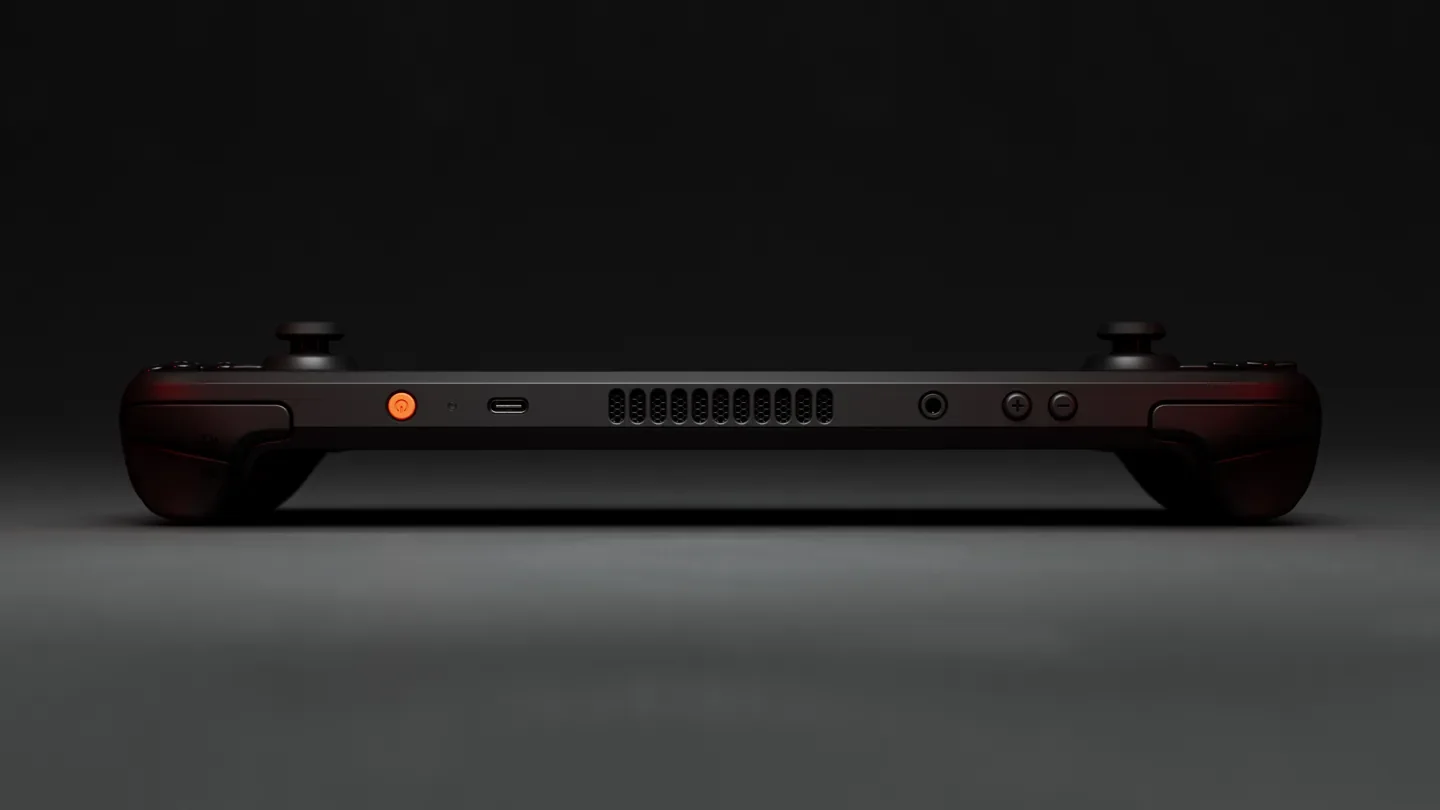
Valve press-kit render: top view of the Steam Deck OLED.
Controls designed for more than one kind of game
A handheld needs to handle platformers, shooters, strategy games, and menus that were originally designed around a mouse. The Deck's answer is an unusually broad set of inputs: analog sticks, a directional pad, face buttons, shoulder controls, trackpads, touch input, and rear buttons. Steam's controller configuration tools let players map controls to suit a game instead of relying on a single fixed layout.
That flexibility is useful, but it is not magic. Text-heavy interfaces can still be small on a handheld display, and games built around a keyboard may need a community layout or some personal tinkering. Before buying, look up gameplay and controller impressions for the specific titles you care about. A strategy game that works technically may still ask more of your patience than a game designed with a controller in mind.
The device's approximately 640g weight also deserves attention. Comfort depends on hand size, grip, posture, and session length. If you have the chance to try one, hold it for more than a quick glance and think about where you will actually play. A supported arm or a break between sessions can matter more than a specification sheet implies.
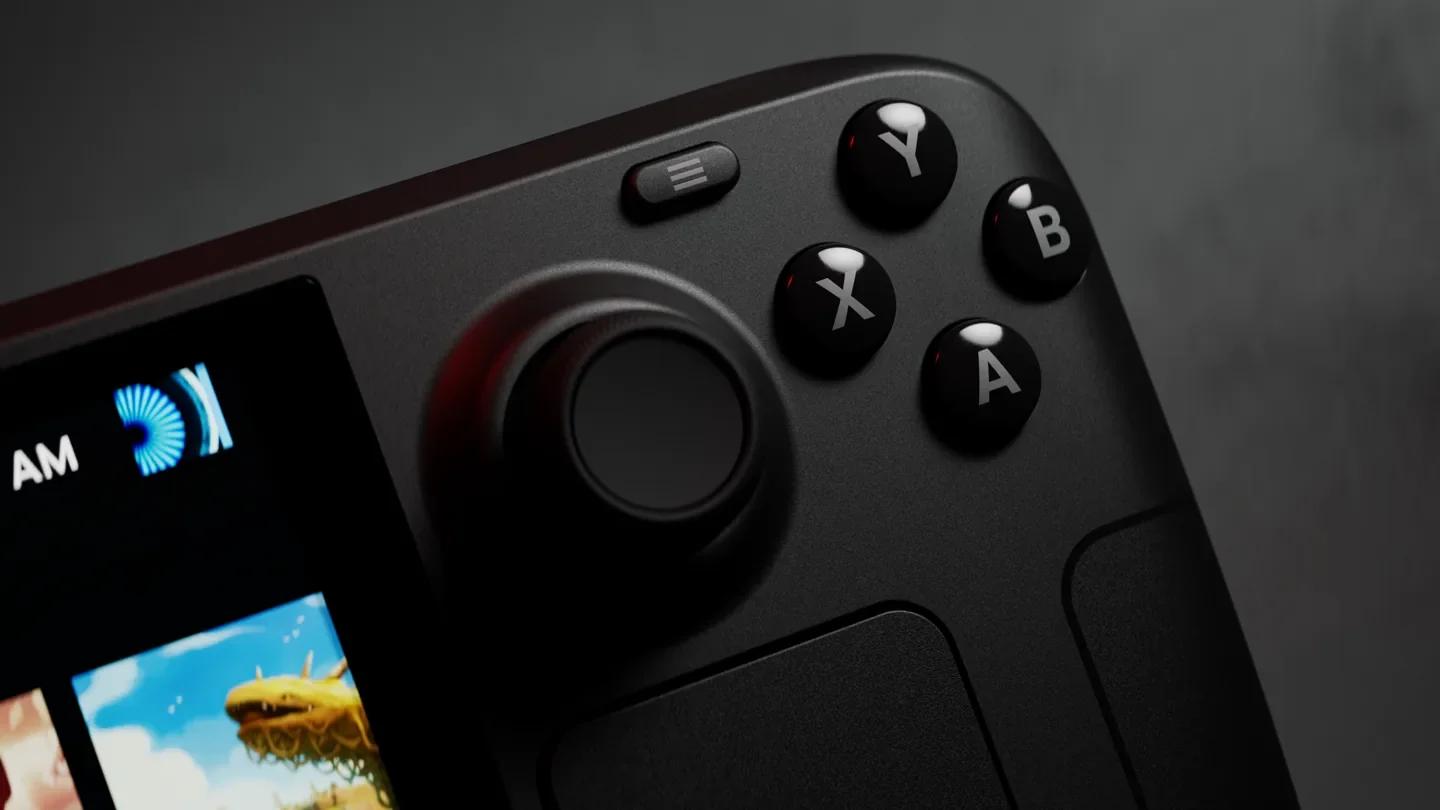
Valve press-kit render: Steam Deck OLED controls.
Compatibility is the real buying checklist
Steam Deck runs SteamOS, and Valve uses a compatibility layer called Proton to help many Windows games run on Linux. That is why a large Steam library can be an advantage here. It is also why owning a PC game does not automatically mean it will run without issues on the Deck.
Valve's Deck Verified system gives shoppers a useful starting point:
- Verified means Valve's review found the game meets its criteria for the Deck experience.
- Playable means the game works but may need some manual steps or have usability caveats.
- Unsupported means Valve's testing found it does not currently function on the device.
- Unknown means Valve has not completed its review; it is not a verdict that the game cannot run.
These labels are snapshots, not permanent guarantees. Game updates, launchers, online services, and anti-cheat choices can change the picture. A title can also be technically playable while its small text, controls, or battery demand make it a poor fit for your particular routine. Conversely, an unknown game may work well, but you should research it before relying on that outcome.
Make a short list of the five games you play most. Check each store page's Deck information, then look for recent reports that match the exact game and its current version. Pay particular attention to multiplayer titles that depend on third-party launchers or anti-cheat. If one must-have game is incompatible, that single detail can outweigh an otherwise impressive hardware list.
Performance: set expectations for a portable PC
The OLED is a refined handheld, not a promise of desktop-class settings in every new game. Valve's custom AMD chip combines a four-core Zen 2 CPU with RDNA 2 graphics, but the experience you get depends on each game's optimization and your settings. Older games, indie releases, and demanding modern titles can put very different loads on the device.
Independent hands-on reporting provides useful context. In its launch-era Steam Deck OLED review, Tom's Hardware tested the device and discussed its performance alongside its display and battery. Those results describe the tested games and software at that time. They should not be treated as a guarantee for every current release or a substitute for checking a recent benchmark for the game you want to play.
Start with an achievable frame-rate target and adjust resolution, graphics presets, and upscaling where the game offers them. A consistent experience is generally more useful than selecting the highest preset and hoping for the best. If you mainly play the newest demanding PC games and expect maximum visual settings everywhere, compare current handheld benchmarks carefully before spending this much.
Battery life, charging, and playing away from home
Valve estimates three to twelve hours from the 50Wh battery, with the estimate based on its stated conditions including a 30fps frame limit, 50% brightness, and 50% speaker volume. That range is broad for a reason. A demanding game, higher screen brightness, louder audio, wireless use, and your chosen settings can all change runtime. A lighter game and conservative settings can make a trip feel very different from a graphically intensive session.
The practical advice is to plan around the demanding end of your own library, not the most optimistic number on the box. Charge before leaving, carry the included charger when practical, and test your favorite game's battery use at home before relying on it for a long journey. If you choose an external battery or charger, check its USB-C power-delivery specifications and the manufacturer's guidance rather than assuming any USB port will charge the device at the same rate.
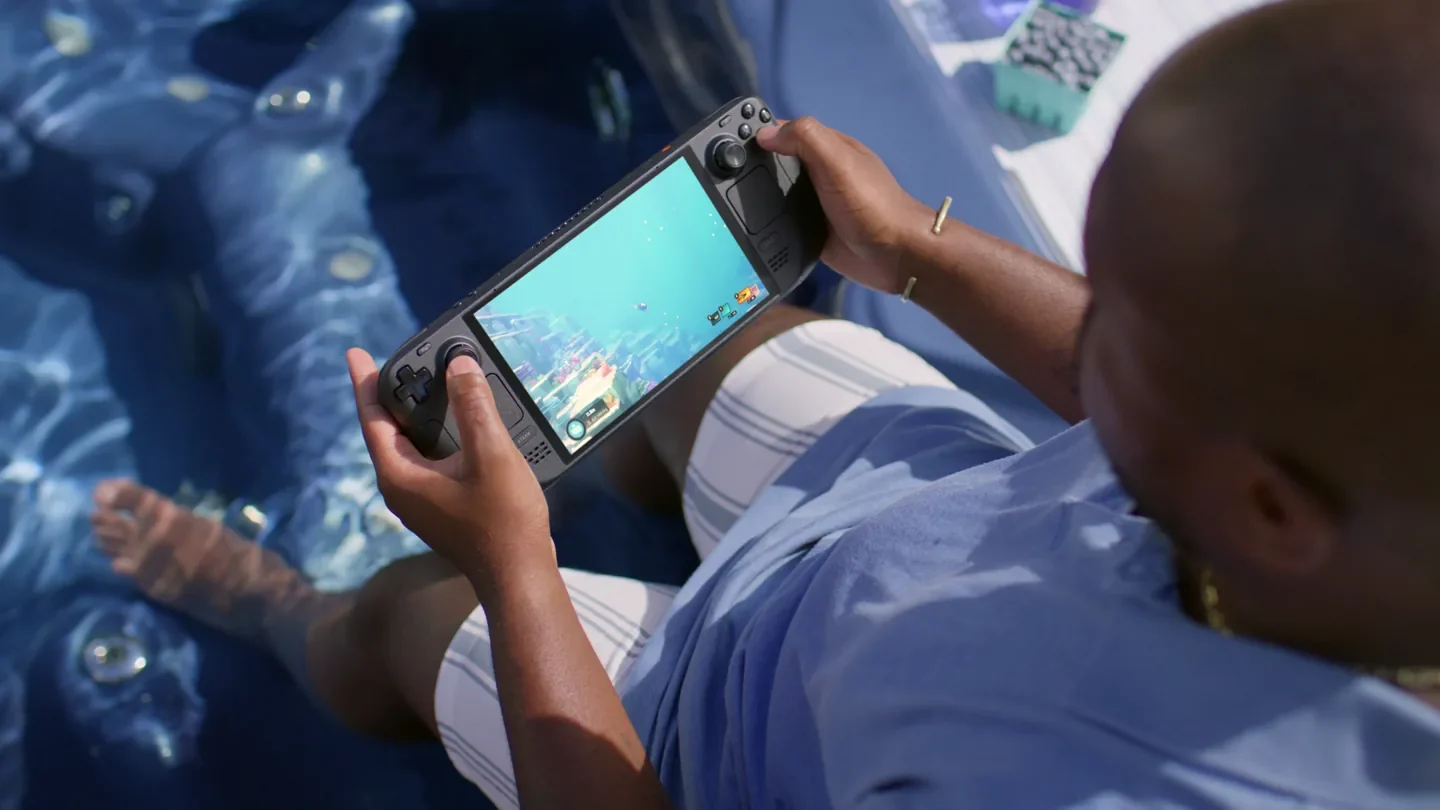
Valve press-kit image: Steam Deck OLED in use.
512GB or 1TB?
The 512GB version is the starting point we would recommend to most buyers. It gets the same core OLED experience and leaves $160 in your budget for games, storage, or simply keeping the total spend down. You can add a microSD card for additional game storage; check a card's capacity, authenticity, and performance before purchasing, and remember that storage speeds can differ from the internal SSD.
The 1TB model gives you more internal space and adds premium details, including etched anti-glare glass and a carrying case with a removable liner, according to Valve's specifications. Those can be worthwhile if you regularly install large games, dislike managing storage, or know that glare reduction matters in your play spaces. The anti-glare treatment does not eliminate reflections in every environment, so consider how and where you play rather than assuming it transforms the screen outdoors.
Also budget for accessories only when you have a reason. A dock, external display, controller, headset, or travel charger can broaden how you use the device, but each adds to the real price. When connecting to a television or monitor, remember that rendering at a larger external resolution can demand more from the hardware than the built-in screen does.
Who should buy it, and who should wait?
Consider it if your Steam library contains several games you already want to play on a handheld, you value the OLED display and flexible controls, and you are comfortable checking game-specific compatibility. It can make particular sense when you want one device for short sessions around the house and occasional travel, with the option to use PC features when you need them.
Think twice if your main games depend on unsupported online services, you want a console-like guarantee that every title will work without adjustment, or your budget leaves no room for games and accessories. The higher 2026 price also makes it worth comparing competing handhelds at their current local prices, including their operating systems, warranty support, control layouts, and performance in your own games.
If you already own the original LCD Steam Deck, focus on what the OLED model changes for you: screen, battery, and the other refinements listed by Valve. It is sensible to investigate real-world comparisons for your favorite games before paying for an upgrade. A better display alone may be enough for one player and unnecessary for another.
The Dirty Rice verdict
The Steam Deck OLED's appeal is the combination: a capable portable PC, a thoughtful set of controls, and a screen that gives games room to shine. Its biggest limitation is equally practical. A game library is only as portable as its compatibility, and a great handheld still has to justify its current price.
For most shoppers, start with the 512GB model, verify your must-play games, and compare the total cost with current alternatives. If those checks line up with how you actually play, the Deck remains a compelling way to bring PC gaming off the desk. If they do not, waiting or choosing another device is a perfectly good win for your wallet.
What would you play first on a handheld PC? Join the conversation in the comments.
Related reading

Written by
ApexInterfectum
Co-Founder, PUG Empire | Army Veteran | Full Stack Developer
ApexInterfectum is an Army veteran and co-founder of PUG Empire, a competitive gaming community built on coordinated team play and continuous improvement. He brings a full-stack development background to community tooling and content infrastructure, and serves as technical subject matter expert across the Dirty Rice platform. His writing covers the systems and strategies behind sustainable content creation, competitive growth, and modern streaming workflows.
Community Rating
Rate this article:
Intel & Reactions - (0)
Sign in with Discord to join the conversation.
No comments yet. Be the first to drop some intel.